

Tech Ed 4 Kids Partners with Parents, Students, and Teachers to Measurably Propel Student Achievement in Science, Technology, Engineering and Math

Traveling during School: Pull out of school?


 We travel for conferences off and on and have always enjoyed taking our boys. We always try to include lots of educational activities, but we also have included fun too! My favorite is to look for what museums are in the area and any sites that tie into historical events that we remember. Then I ask anyone we know that is in the area. We seem to have friends in most areas….. Announcing a pending trip (with no dates for safety) on social media can sometimes get some great suggestions. – Weigh the safety of letting people know when your house will be empty and check your privacy settings if you go this route.
Our school requires a form that tells where we are going, the educational benefit, and when. It then goes on to the school board to approve, but counts as days attended.
Our latest trip included the Parthenon in Nashville! The Parthenon is a recreation of the actual Parthenon in Greece and holds an art museum. It was built for a fair a few years after the end of the Civil War. One room includes maps of the original fairground and some of the pamphlets. All the additional buildings were built to only last 6 months. There were also rides – you can still see the lakes that went along with the water rides. The area around the Parthenon is now a park and seems to always have people and activities going on around.
The downstairs during our latest trip included an exhibit of mixed media art centered around Grimms Fairy Tales. For my youngest, it wasn’t as interesting as it would have been when he gets to be older, but we did have a discussion about some of the fairy tales. The fishmonger’s wife that is shown carrying a magic fish, Cinderella, and more! The upper floor includes a huge statue of Athena. The older kids had to take a picture with the statue. For the older kids, this was a great chance to look up and compare with the original Parthenon in Greece. The art exhibit of fairy tales was a good chance to discuss some of the fairy tales with my little one.
We also used the visit to the Parthenon as a chance to discuss Greek Mythology.
Things to study tied in with the Parthenon:
- Greek Mythology
- Art (It is an Art Museum)
- History – Civil War – Some of the exhibits at the Centennial Exposition included reenactments of the Battle of Gettysburg.
- History – The Tennessee Centennial and International Exposition was an exposition staged between May 1 and October 31 of 1897 in Nashville. It celebrated the 100th anniversary of Tennessee‘s entry into the union in 1796, although it was a year late.
- Grimms Fairy Tales – The season’s exhibit
Nashville does have several other educational places to visit, including several centered around the history of country music and the music recording business. We’ve visited everything from the Adventure Science Center to the Zoo also.
Nashville for us is a day trip in many cases, but taking a day off school to explore a museum or go with us to a conference and explore the nearby sites is a great chance to expand on the school’s curriculum. If we were homeschooling, we would spend even more time exploring sites!
Limiting Camera Usage (IPhone) – Protecting your Child
 On your iPhone – or your child’s device, there are a lot of settings you can change and options to limit apps! As kids get older or even with my youngest using features like in-app purchases (and who hasn’t accidently hit a link once in a while and had to stop it). I’ve even bought the wrong book once with one click buying… now turned off on my own phone. As features and purchases become easier to use, it becomes easier to spend money.
Apps now can send pictures and video in and easier than ever way, data is used constantly. For preteens and teens, sharing pictures and texts is a standard daily event – who makes a phone call anymore?
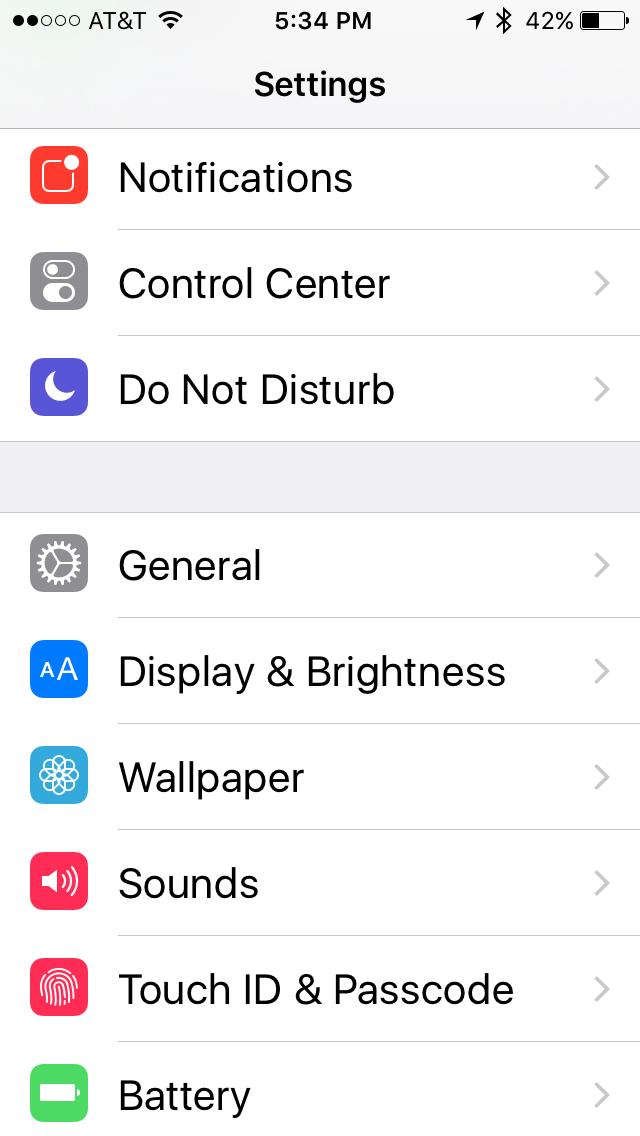
To set restrictions and turn off access, the settings can be accessed through the settings choice on your device. Choosing Celluar you can find a choice for cellular data use and limit which apps use the data plan.
To set up restrictions on what your device can do without a special code (separate from purchases)
- General
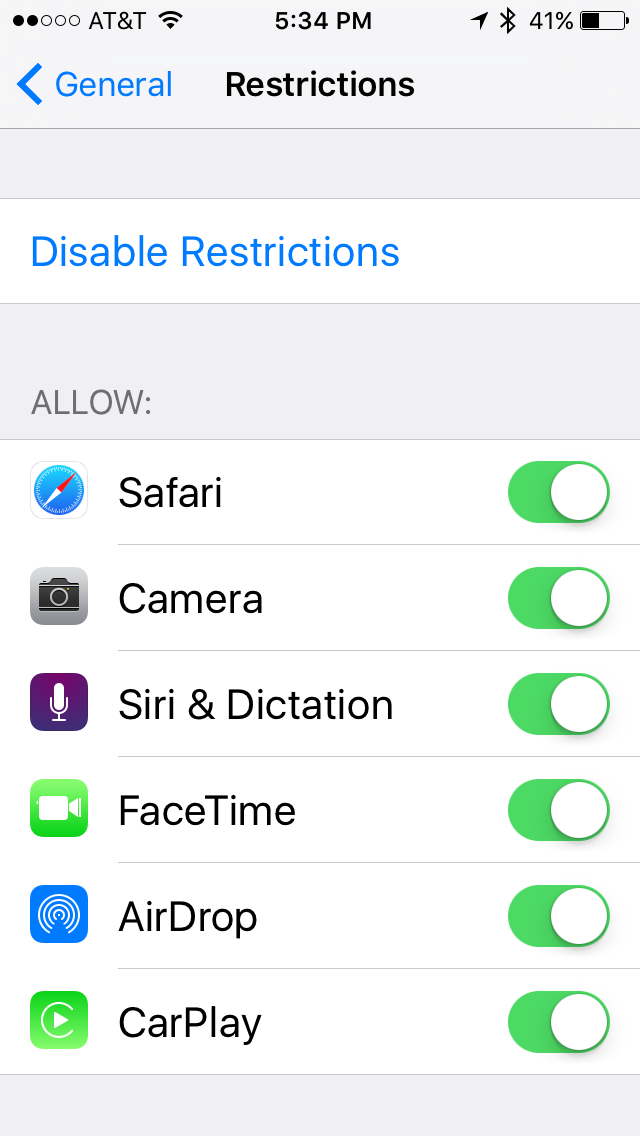
- Restrictions
- Enable Restrictions
- (Do not forget the code you set)
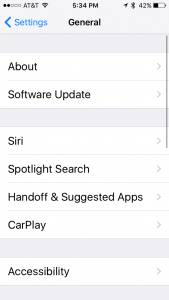 Restrictions is directly below Autolock. If you lose or forget your Restrictions passcode, you’ll need to erase your device and then set it up as a new device to remove the Restrictions passcode. Restoring the device using a backup won’t remove the passcode. – So be careful setting a passcode for restrictions.
Some things you can restrict:
Apps and features
- Safari
- Camera (also disables FaceTime)
- FaceTime
- iTunes Store
- Apple Music
- Apple Music Radio
- Apple Music Connect (replaces Connect tab with Playlists)
- iBooks Store
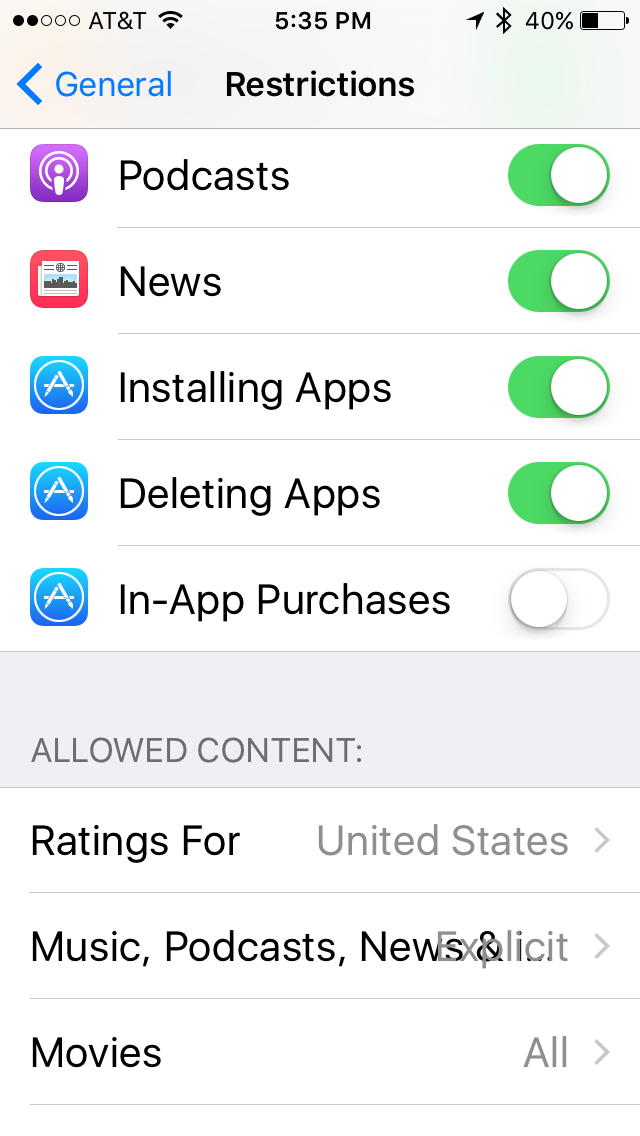
- In-App Purchases
- Siri
- AirDrop
- CarPlay (available only with iPhone 5 or later)
- Installing apps
- Deleting apps
- Multiplayer games in Game Center
- Adding Game Center friends
You can restrict access to YouTube in iOS 5 and earlier.
Changes to privacy settings that can be updated include:
- Location Services
- Contacts
- Calendars
- Reminders
- Photos
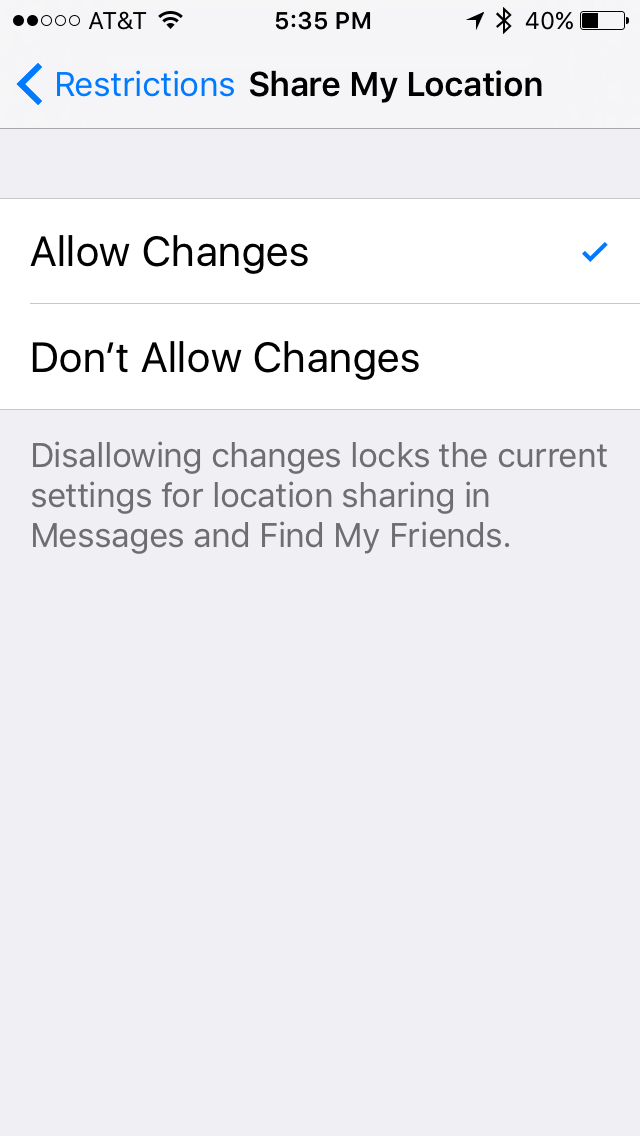
- Share My Location
- Bluetooth sharing
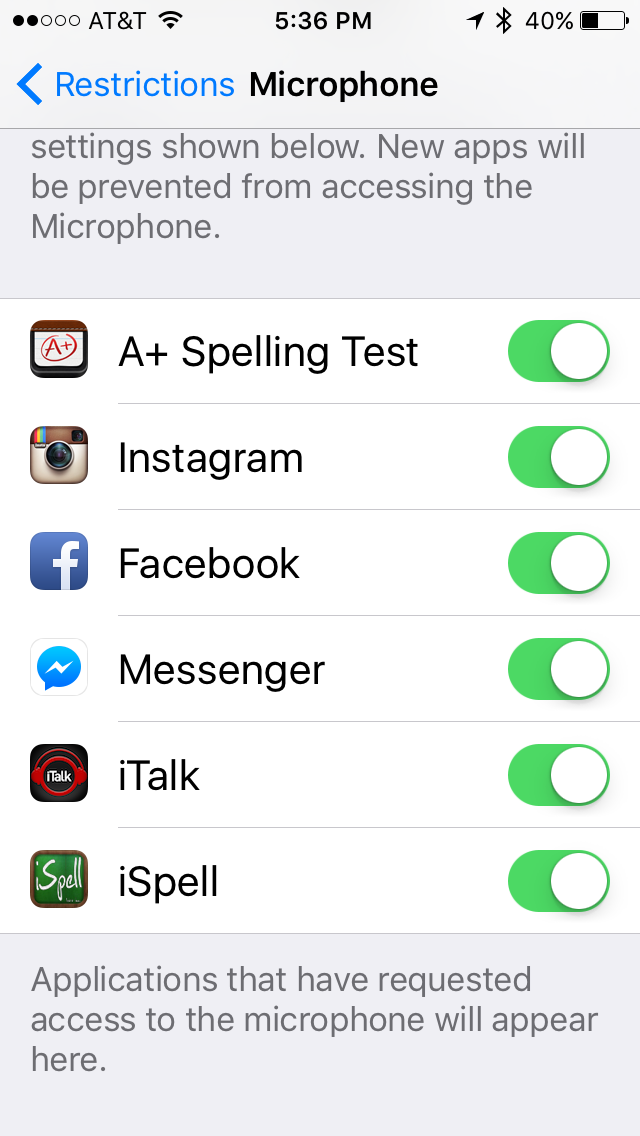
- Microphone
- Advertising
You can also prevent changes to settings, including:
- Accounts (Such as Facebook)
- Cellular Data Use
- Find My Friends
- Volume limit
- Cellular data use
Choose ON to set the restrictions to on and you will be asked for a 4 digit lock code (It will need to be entered twice). Once set the settings will be shown to allow you to restrict apps and accounts on the device. 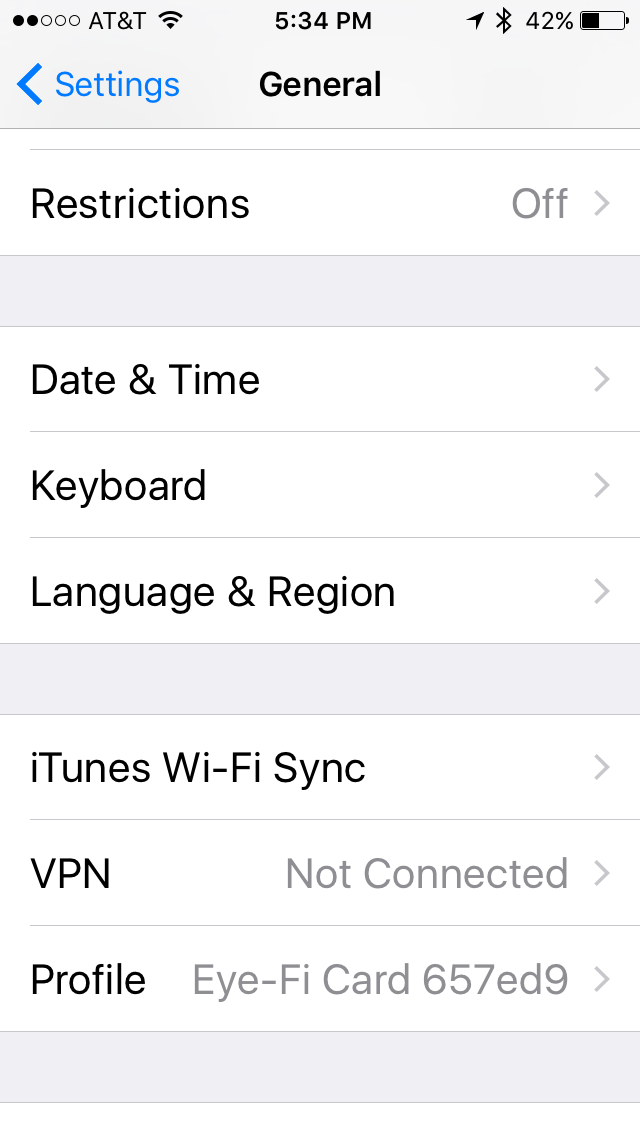
Walking through the restrictions, allows settings to be set for nearly everything on the device.

Facebook – allow changes
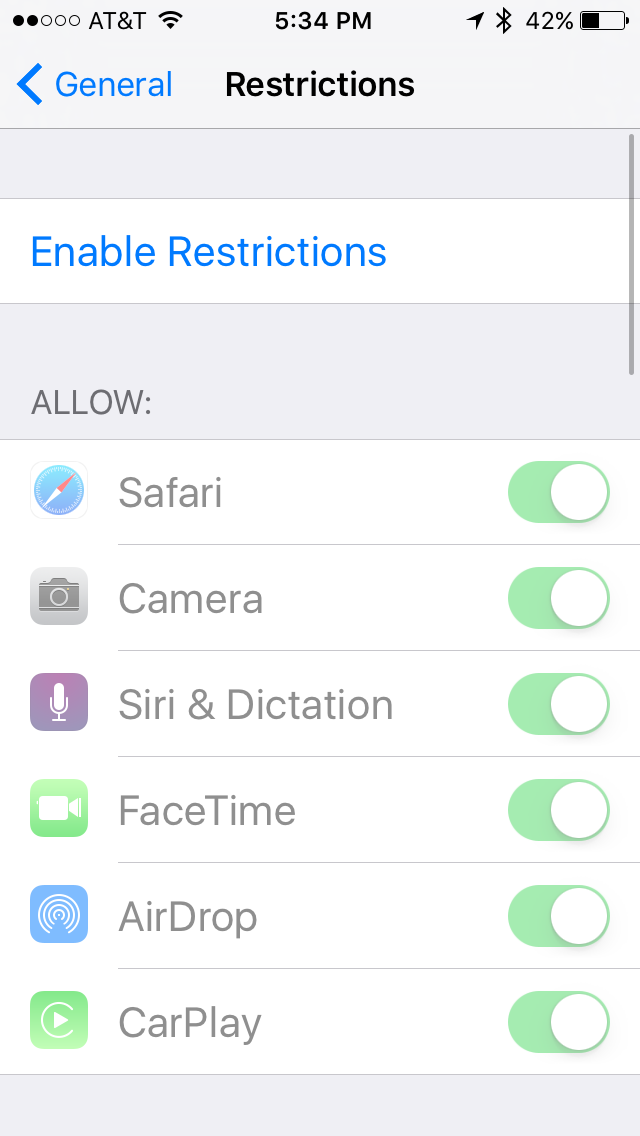 Devices can even be restricted to not allow location sharing, use of the camera and microphone and more. The use of camera and microphone can even be limited per app.
Restrictions gives us a wide variety of controls over our teens and pre-teens devices in the event you want your child to have a device, but not use social media, not use up your data plan, or even just not listen to explicit songs and videos.


Hidden Apps – spying on your child 2.0
How to find hidden apps on your child’s device.
One the local cases of kid’s sending pics on their device included kids using an app that looked like a calculator app. Another popular method for kid’s to share pics and information in secret is to hide apps on their phone.
One way to find what apps have been purchased and are on a phone or device is to look in the app store at the apps purchased.

Within the app store you can pull up a list of purchased apps. The apps will then show whether they are hidden are not. (There is a place to also see apps that are not on this device also.) Choose the Not on this phone to see the apps that aren’t on the device. Looking through all is a way to see what apps are on the current device (the app has Open after the name to allow you to open it directly from All Purchases). – You can also install apps that haven’t been added to the device from this p art of the store.
The most recent case in the news was students sharing pictures through an app that looked like a calculator and included a secret section for picture sharing. The pictures involved were not legal in most cases and were being passed around like trading cards.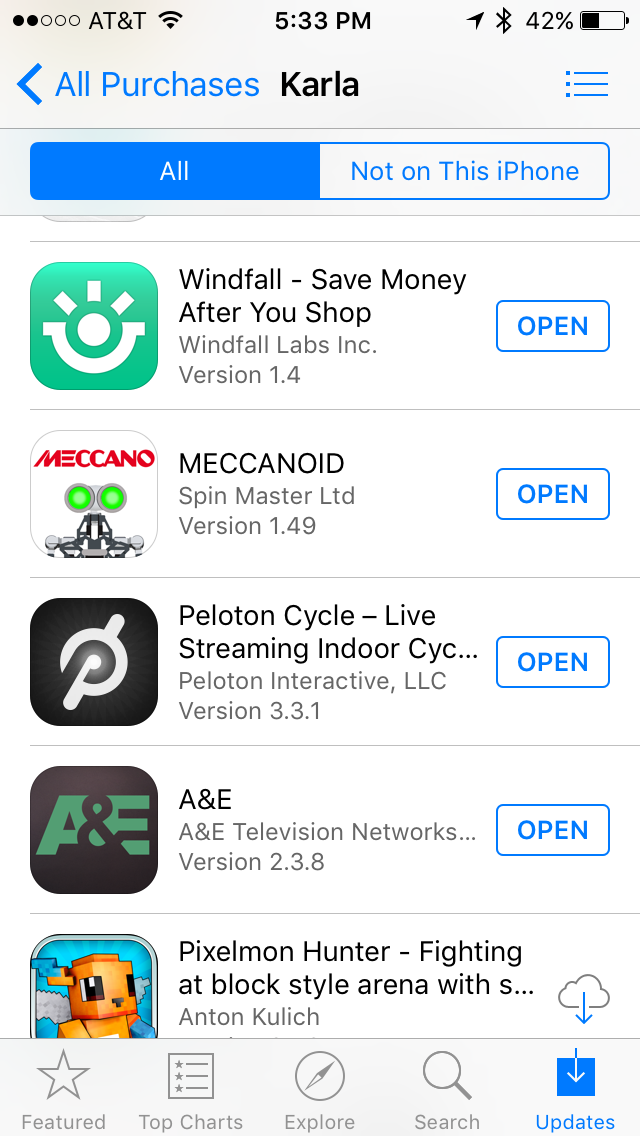
I’ve never seen these apps on my children’s devices and hope to never see them in person, and there is a log of debate about what to do in the event that you find this on your child’s device. Do you delete it? Report it? Was it a one time thing or something they are engaging in frequently? Personally I’ve never had to find out what I’d do, but I like to think I’d do the ‘right’ thing. What is the right thing though? Keep in mind that getting caught is punishable by being added to the sex registry for life and possibly other things… We are talking permanent record here. The other issue to keep in mind is that if you delete it, there is still a record in the send folder of the device that sent it to your device.
I did tell my boys in high school to immediately report any text they received with inappropriate pictures to their counselor so that it could be dealt with and they wouldn’t be liable. I then gave them a lecture about being on the registry for life…. I still have no idea if that’s the right choice, but that was my decision as far as how to deal at the time. In the case of hidden apps on devices though, the user of the device is making an effort to ‘get away’ with it and knows what they are doing. I suspect at that point my child wouldn’t see electronics bought by me ever again, locks on our router and more….
I should say though I personally haven’t searched my kids devices for hidden apps. I feel I would only look in the event I felt a virus had gotten onto the device…. but that’s just my family and so far my children have my trust.
What are your thoughts? Would you check for deleted apps? What would you do if your child received inappropriate pics?
Grow a Prehistoric Creature! (Kit)






 Grow your own prehistoric creature was a kit I found recently. I remember these kits from when I was a kid also. The kit contains a type of shrimp eggs and some food for as they get a little bigger. Ours included a container and some sand for the bottom of the tank.
We put together the kit as a family which included only using half the eggs and have waited to see what hatches. For us this turned out to be nothing we could see. I was convinced I could see a little something in the tank, but it was not moving. – So I think our try failed. We do still have our other half of the eggs to try.
In our case though we used tap water, not distilled and didn’t put the food in because we didn’t see anything.
For us it didn’t work, but these kits do work for others. It is a fun experiment to try if you can get it to work, and you can explore the history of triops or other prehistoric creatures to go with. Ours also came with a poster of the history.
I was also contemplating the question of what to do with the creatures after we ‘finish’ with them. Comments I’ve found include some saying they dirty the tank quickly.
Also ours may not have hatched because we didn’t use hot enough water. Hints that I could find on google included:
– heat the distilled water up before adding it, the eggs will ONLY hatch if the water is 70 to 80 degrees.
– the triops life span pretty much depends on how warm you keep them, and making sure you don’t over feed them.
– The 2nd half of the eggs should be raised in a separate tank so the larger triops don’t eat them.
Spy on your Children’s Tech Use?
I was in a meeting yesterday that mentioned a business in town that makes their primary product to spy on your child. They do it at your request… and say it’s to protect your child from exploitation. As a parent of three boys, two that have were teens, what I forsee is a lot of kids that will not trust their parents again for a long time. Additionally kids that have absolutely no freedom in my opinion, take off and run wild as soon as they get a chance at freedom. 
I was very lucky to know how to keep an eye on my kids tech use myself, but even knowing how, I didn’t monitor them 24/7. I wanted them to have some freedom. My boys each had their own domain starting at an early age, and access to the internet starting early. We also had discussions about internet safety and how easy it is to pretend to be someone your not when online. Internet crime was a popular discussion in our house as well as a few movies like Hackers.
With the recent stories like the one about the 13 year old in the news that was lured off by older kids she met online, the online social networks are pretty scary. When I was a teenager, my mother lectured me on the danger of going off with people I met at the roller skating rink…. and other places around town that kids met. At the time a typical Friday night could involve cruising up and down main street, stopping in parking lots at night to talk to people that you didn’t know. It was rare for things to happen, but without the internet the stories didn’t spread as easily as they do now either.
Now parents are limited more by their own knowledge of the technology. Kids pick up computers and devices and quickly get them all figured out, parents are just lost… For every technology that parents come up with to track kids, kids will come up with a technology to circumvent it. Think calculator app that was really a photo sharing app!
Parents should :
- Have open discussions with your children about the dangers of social media
- Talk to your teens (and pre-teens about social networks)
- Read up on Social Networks
- Give your teens (and pre-teens) some freedom
- Make sure your children understand that they can talk to you (without punishment) about questions and concerns and what they are doing
- Don’t over-react to what your child admits (no matter how scared it makes you!)
A forensic scientist pulls out all the information they can find, providing you with data. From the website in this case, it sounds like for their cheapest price they will give you a list of who your child is talking to (contacts on their phone – my phone bill has that) and the list of contacts. For more money they will get you a list of what apps your child has on their device (see below) – maybe even deleted info, a history of activity (history is under a menu item if you want to find it yourself). Really they are going to get on your child’s device and tell you everything they can find out about it for you and give you a list for that one time. A little research and you can do it yourself when you want…
The question is how much should you invade your child’s privacy? When I was a teen this would have been the equivalent of reading a diary… Not that mom’s didn’t do that too! How do you decide when your relationship with your child has reached the point that you need to take this step? When you do, how to keep yourself from letting them know what you know (unless what you find out pushes you to the point of necessity to speaking up)
Good business plan? Would you use a service like this?
iPad Locked? Forgot that code?
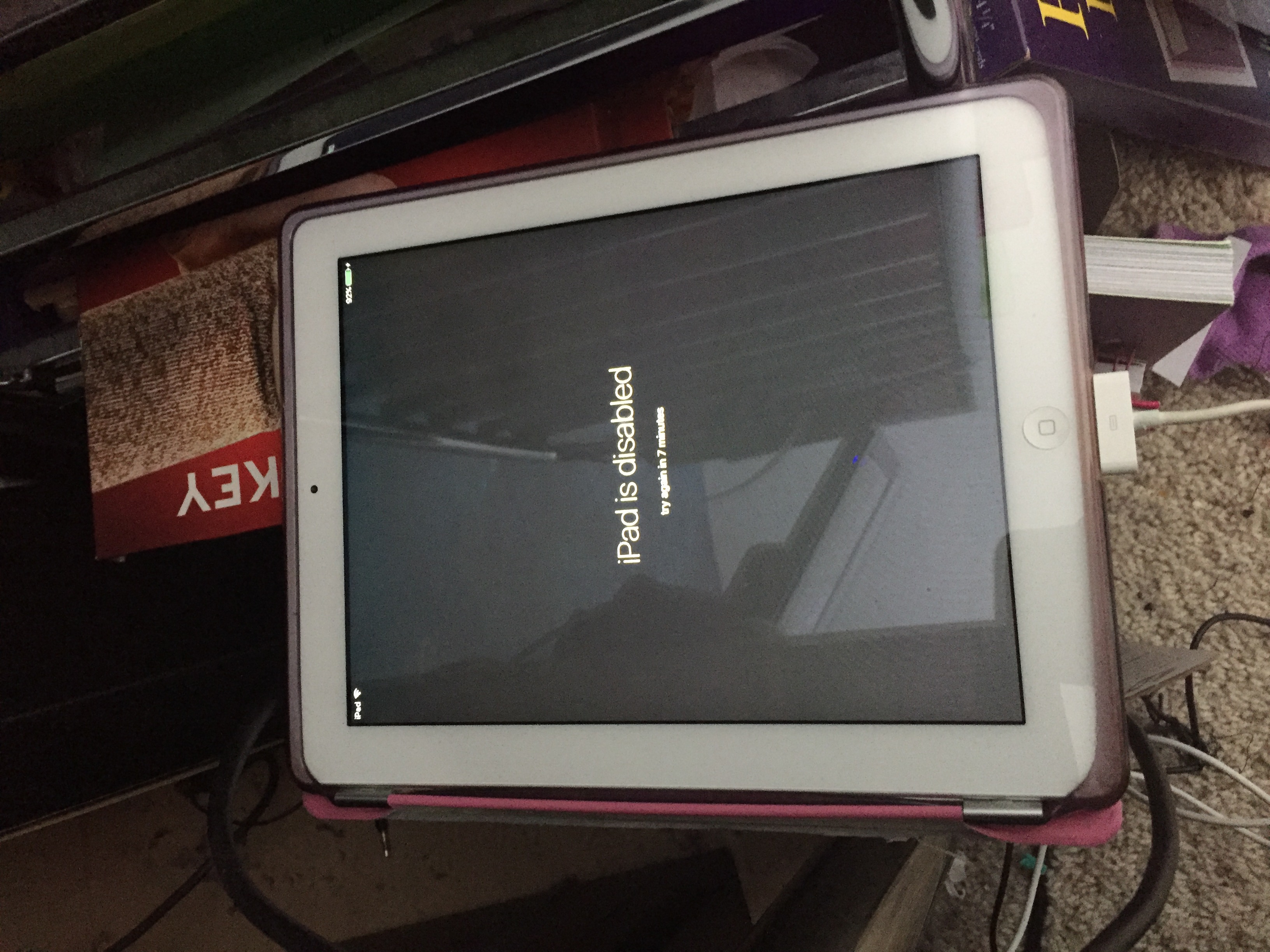 For us, it came about because I left the room during an update. My youngest, who is normally wonderful with technology, and great at remembering all codes (cover your screen when putting in your password!), noticed the iPad was at the point of needing to go on and finish the update. Apparently in the update process the iPad had automatically set the option for a code. Being there I would have turned this off, but not being there, my youngest thought it was required. He proceeded to set a code. Entering it not once, but twice. When it came time to remember it though his answer was, it starts with 105 – leaving 10 combinations if he had the first three characters right. As we tried each combination the iPad disabled itself for longer each time. Hooking to a computer did nothing as it needed approved to allow me to approve it and to do that you have to unlock the iPad.
After trying all the combinations and nothing working, the only solution was to reset the iPad…. in our case the iPad had been a gift from grandma so it included a phone call to get her password also. To unlock the iPad we did:
- Turn the iPad completely off
- Start iTunes
- Hold down the home button for a little while
- Plug the iPad into the computer while still holding down the home button
- The iPad will be in reset mode. (my itunes had to download an update, so it took two tries for me)
- Choose Reset instead of upgrade
- You will need the original owners password (in most cases this is your own, in ours it was my mothers)
- Once reset finishes you will have to walk through set up again and re add accounts and apps.
NOTE: If you reset your data and pictures will be gone! But if you can’t figure out the code there is no other way in that I know of. My youngest took this really well and didn’t seem upset that he lost all of his stuff. I think he took it as a chance to start over.
About Me
 I am a SAHM/WAHM of three boys ranging in age from 16 to 32. We are working on saving enough for college at the same time as dealing with school and our older independent kids. I author a few blogs, including http://teched4kids.com. I have in the past taught computer information technology classes for the local university and taught workshops for kid's in technology education besides being the Kentucky State FIRST LEGO League Championship Coordinator from 2005 to 2008. I now work as a computer consultant, run a handmade home business, and am available for workshops. Life here is always an adventure!